Introduction
Technology has become an important part of modern life, changing how people communicate, work, access information, and develop new skills. Education is no exception. From online classrooms and interactive learning applications to artificial intelligence and digital textbooks, technology is creating new opportunities for students and teachers around the world.
In the past, students often depended primarily on printed textbooks, classroom lectures, and physical libraries to access educational information. Today, many learners can attend virtual classes, watch instructional videos, collaborate with classmates online, and explore digital resources from almost anywhere with a reliable internet connection.
These developments are changing not only where education takes place but also how students learn and how teachers deliver lessons. Digital tools can make information more accessible, support different learning needs, and help educators organize classroom activities more effectively.
However, educational technology also introduces challenges. Unequal internet access, digital distractions, privacy concerns, and the need for reliable information can affect how successfully these tools are used.
Understanding both the benefits and limitations of technology is essential for creating effective learning experiences.
In this article, we will explore how technology is changing the future of education, the tools transforming classrooms, the benefits for students and teachers, and the challenges schools must address to make digital learning more effective.
1. The Evolution of Technology in Education
Technology has influenced education for many years, but the tools available to students and teachers have changed significantly.
Traditional classrooms relied heavily on textbooks, handwritten notes, chalkboards, and face-to-face instruction. These methods remain valuable, but modern educational environments can also include computers, tablets, learning management systems, online libraries, and interactive digital resources.
From Printed Materials to Digital Resources
Digital textbooks and online educational materials allow students to access information without always carrying multiple physical books.
Many digital resources also include searchable text, videos, audio explanations, diagrams, and practice questions.
For example, a student studying astronomy can explore interactive models of the solar system, watch explanations of planetary motion, and complete online quizzes to test understanding.
These resources can complement classroom instruction and provide additional ways to explore difficult concepts.
The Growth of Online Education
Online education has expanded opportunities for people who cannot easily attend traditional classes.
Students may participate in live virtual lessons, complete self-paced courses, or access recorded lectures when their schedules allow.
This flexibility can be particularly useful for working adults, people living far from educational institutions, and learners seeking additional training.
However, successful online learning still requires suitable resources, clear instruction, student engagement, and opportunities to receive feedback.
A More Connected Learning Environment
Modern educational platforms can bring together teachers, students, parents, and learning materials in one digital environment.
Teachers may share assignments, provide feedback, and communicate important updates online. Students can submit work electronically and review course materials outside classroom hours.
When these systems are implemented thoughtfully, they can support communication and help learners stay organized.
Technology does not automatically improve education, but it can provide useful tools when combined with effective teaching and clear learning objectives.
2. Online Learning Is Expanding Access to Education
One of the most significant changes in education is the growth of online learning.
Digital platforms allow students to participate in courses without always traveling to a physical classroom. Depending on the program, learners may attend live sessions, complete assignments independently, or combine online instruction with in-person activities.
Flexible Learning Opportunities
Online courses can help students organize their education around other responsibilities.
For example, a working adult may study business administration in the evening, while a high school student might use online resources to review mathematics after class.
Self-paced courses can also allow learners to revisit lessons when they need additional explanation.
However, flexibility does not mean that every online course is easy to complete. Students still need to manage deadlines, remain motivated, and allocate enough time for practice.
Access to Specialized Subjects
Some learners have limited access to specialized courses in their local communities.
Online education can provide opportunities to study subjects such as programming, graphic design, foreign languages, data analysis, and digital marketing.
Students can explore introductory material before deciding whether to pursue a formal qualification or professional training.
When choosing an online program, learners should check the course content, instructor qualifications, total cost, and recognition of any certificate offered.
Learning Beyond Geographic Boundaries
Online education can connect learners with instructors, experts, and classmates from different locations.
This can expose students to different perspectives and allow them to explore educational opportunities that may not be available nearby.
Nevertheless, access remains unequal. Reliable internet, suitable devices, electricity, and an appropriate study environment are not available to everyone.
Expanding online education therefore requires attention to affordability, accessibility, and the needs of students with limited resources.
3. Artificial Intelligence Is Changing Teaching and Learning
Artificial intelligence, commonly known as AI, is becoming increasingly visible in educational technology.
AI-powered tools can help explain concepts, generate practice questions, support writing, and assist teachers with selected administrative tasks.
When used responsibly, these tools may provide additional support for students and educators. However, AI should not replace sound teaching practices or independent thinking.
Personalized Learning Support
Students do not all learn at the same pace. Some understand a concept quickly, while others need more examples or additional practice.
AI-powered educational tools can sometimes adjust questions, provide explanations, or recommend learning activities based on a student’s responses.
For example, a student learning algebra might request a simpler explanation of an equation and then practice solving similar problems.
This type of support can help learners work through difficulties at their own pace.
However, the quality of AI-generated explanations varies. Students should verify important information and consult teachers or reliable educational resources when an answer seems unclear or incorrect.
AI as a Learning Assistant
AI tools can help students brainstorm ideas, organize revision schedules, summarize material, and generate practice questions.
For example, a student preparing for a history examination might ask an AI tool to create questions about a chapter and then answer them independently.
The student can use the results to identify topics requiring further review.
The goal should be to strengthen understanding rather than simply obtain answers.
Supporting Teachers With Routine Tasks
Some AI applications can assist teachers with drafting lesson materials, preparing quizzes, organizing resources, or generating examples.
This may reduce time spent on selected repetitive tasks, allowing educators to focus more attention on instruction and student support.
Nevertheless, teachers must review AI-generated content for accuracy, suitability, bias, and alignment with learning objectives.
AI can support educational work, but human judgment remains essential.
4. Digital Classrooms Are Transforming Traditional Teaching
Digital classrooms combine traditional teaching approaches with technology to create additional ways for students to participate in lessons.
These environments may include interactive displays, classroom computers, tablets, educational applications, and online collaboration tools.
Interactive Lessons
Teachers can use digital presentations, animations, videos, and simulations to explain difficult topics.
For example, a science teacher can show an animation of the human circulatory system rather than relying exclusively on a static diagram.
A mathematics teacher might use interactive graphs to demonstrate how changing a variable affects a function.
These visual explanations can make abstract ideas easier to explore, especially when students are also encouraged to ask questions and solve problems.
Real-Time Student Participation
Digital quizzes, polls, and classroom response systems allow teachers to check student understanding during a lesson.
If many students answer a question incorrectly, the teacher can revisit the concept before moving to the next topic.
This immediate feedback can help educators identify misunderstandings earlier.
However, digital participation should remain purposeful. Students still need opportunities to discuss ideas, solve problems independently, and develop skills without relying entirely on screens.
Combining Digital and Traditional Methods
Technology does not require schools to abandon textbooks, handwritten notes, classroom discussions, or practical activities.
A balanced approach may combine teacher explanations, digital demonstrations, group work, independent reading, and hands-on experiments.
The most effective method depends on the subject, students’ needs, available resources, and learning objectives.
Digital classrooms work best when technology supports teaching rather than becoming the main purpose of the lesson.
5. Educational Technology Can Support Different Learning Needs
Students have different strengths, abilities, backgrounds, and learning requirements.
Educational technology can provide additional ways to present information and make learning materials more accessible.
Multimedia Learning Resources
Some students find diagrams helpful, while others benefit from written explanations, spoken instructions, or practical demonstrations.
Digital resources can combine text, audio, video, and interactive activities to provide different ways of exploring a topic.
For example, a language learner might read a passage, listen to its pronunciation, and complete vocabulary exercises within the same application.
Offering different formats can help students engage with material in ways that suit their needs.
Accessibility Tools
Assistive technology can help some students access educational content more independently.
Examples include:
- Screen readers that read digital text aloud.
- Captions that display spoken content as text.
- Speech-to-text tools that convert speech into written words.
- Text-to-speech tools that read written material aloud.
- Keyboard navigation and other accessibility features.
These tools can support learners with disabilities and others who benefit from alternative ways of accessing information.
However, accessibility depends on how well a platform is designed and whether its features meet individual requirements.
Schools should evaluate educational technology for usability and accessibility rather than assuming every digital resource works equally well for every student.
Flexible Ways to Demonstrate Learning
Some digital platforms allow students to demonstrate understanding through written assignments, presentations, recorded explanations, or interactive projects.
Different formats may provide useful alternatives when they are appropriate to the learning objective.
Teachers should still ensure that assessments measure the intended knowledge and skills fairly.
Thoughtful use of educational technology can help schools create more inclusive learning environments while maintaining clear academic expectations.
6. Gamification Can Make Learning More Engaging
Gamification involves using selected game-like features in activities that are not traditional games.
Educational applications may include points, progress bars, badges, challenges, quizzes, and achievement levels to encourage participation.
When used carefully, these features can make practice more engaging and help students track their progress.
Learning Through Challenges
A language-learning application might award points for completing vocabulary exercises. A mathematics platform could provide increasingly difficult problems as students demonstrate understanding.
These activities create clear goals and provide feedback about performance.
Students can see which tasks they have completed and which areas require more practice.
Immediate Feedback
Interactive learning games often provide immediate responses to student answers.
If a student selects an incorrect answer, the application may explain the mistake or offer another opportunity to try.
This feedback can help learners identify misunderstandings while the material is still fresh.
Maintaining a Balance
Gamification is not effective simply because an activity includes points or rewards.
Students need to understand the material, practice relevant skills, and receive meaningful feedback.
Competition can also discourage learners if rewards emphasize speed or rankings without considering individual progress.
Teachers and parents should choose educational games that support genuine learning rather than merely keeping students entertained.
The goal is to use engaging activities to strengthen knowledge and encourage continued practice.
7. Cloud Computing Is Improving Educational Collaboration
Cloud computing allows users to access digital files and applications through internet-connected services.
In education, cloud-based tools can help students and teachers share documents, collaborate on projects, and access learning materials from different devices.
Shared Documents and Group Projects
Students working on a group assignment can use collaborative documents to contribute ideas, edit content, and review changes.
This can reduce the need to exchange multiple versions of the same file.
For example, a group preparing a presentation might research different sections, combine their findings in a shared document, and organize the final slides together.
Teachers can also provide feedback on digital assignments without requiring every interaction to take place in person.
Accessing Materials From Different Locations
Cloud-based learning platforms may allow students to access notes, assignments, and course resources from home, school, or another suitable location.
This can be useful when students need to review material outside classroom hours.
However, access depends on internet availability, account permissions, device compatibility, and the policies of the educational institution.
Protecting Educational Information
Schools and students should take data protection seriously.
Educational platforms may store personal information, grades, assignments, and communications.
Institutions should evaluate privacy policies, security controls, access permissions, and data-handling practices before adopting new systems.
Students should use strong passwords, protect their login details, and avoid sharing confidential information through inappropriate channels.
Cloud computing can make collaboration easier, but effective implementation requires careful attention to privacy and security.
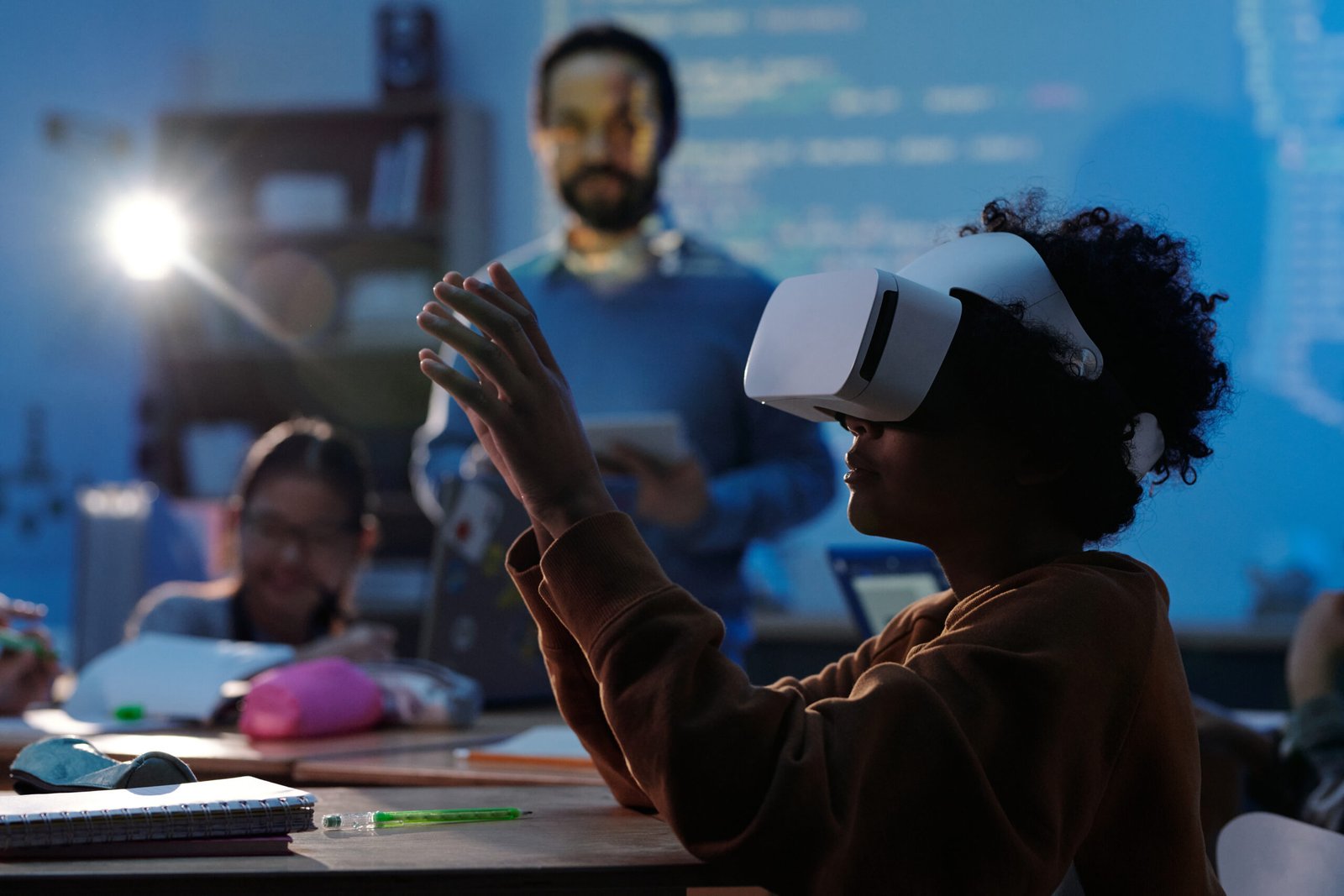
8. Virtual Reality and Augmented Reality Offer New Learning Experiences
Virtual reality (VR) and augmented reality (AR) are technologies that can create interactive experiences or add digital information to a user’s view of the real world.
Their educational applications are expanding, although availability, cost, and effectiveness vary by subject and institution.
Exploring Complex Concepts
Virtual reality can create simulated environments that allow students to explore places or situations that may otherwise be difficult to access.
For example, a history lesson might include a virtual reconstruction of an ancient city. A science course could use a simulated environment to demonstrate a process that is difficult to observe directly.
These experiences can provide additional context when combined with appropriate instruction and discussion.
Interactive Three-Dimensional Models
Augmented reality can place digital objects or information over a view of the physical environment.
Students might use an AR application to examine a three-dimensional model of the human heart or explore the structure of a geometric object.
This can provide an additional way to investigate spatial relationships and complex structures.
Understanding the Limitations
VR and AR equipment may be expensive, require technical support, or cause discomfort for some users.
Not every subject benefits from immersive technology, and realistic simulations do not automatically produce better learning outcomes.
Schools should consider cost, accessibility, safety, curriculum requirements, and evidence of educational value before investing in these tools.
VR and AR are most useful when they provide a meaningful learning experience that would be difficult to achieve through simpler methods.
9. Technology Is Changing How Students Are Assessed
Assessment helps teachers understand what students know, identify learning gaps, and evaluate progress toward academic objectives.
Technology can provide additional ways to conduct assessments and organize feedback.
Online Quizzes and Practice Tests
Digital quizzes can allow students to answer questions and receive immediate feedback.
For example, a student studying biology might complete a quiz after reviewing a chapter. The results can highlight topics that need further practice.
Teachers can use assessment results to identify common misunderstandings and adjust their lessons.
However, automated scoring is not suitable for every type of assessment. Essays, complex reasoning, practical work, and creative tasks may require detailed human evaluation.
Digital Portfolios
A digital portfolio is a collection of a student’s work, such as projects, presentations, writing samples, and reflections.
It can show how a learner’s skills develop over time rather than relying exclusively on a single test score.
For example, a design student might include project drafts, final designs, and explanations of the decisions made during the process.
Digital portfolios can be particularly useful for demonstrating practical abilities in fields where completed work matters.
Responsible Use of Assessment Data
Digital assessment platforms may collect information about student performance.
Schools should ensure that such information is used appropriately, protected against unauthorized access, and interpreted carefully.
A low score does not always explain why a student struggled. Teachers may need to consider the learning environment, language requirements, accessibility, and other relevant circumstances.
Technology can support assessment, but fair evaluation still requires thoughtful interpretation and appropriate educational judgment.
10. The Challenges of Technology in Education
Although technology offers many benefits, its use in education also creates challenges.
Schools, teachers, parents, and students must consider these limitations to ensure that digital tools improve learning rather than create additional barriers.
The Digital Divide
Not all students have reliable internet connections, suitable devices, or quiet places to study.
A learner with a personal computer and high-speed internet may have access to resources that are unavailable to someone relying on a shared phone or limited data connection.
These differences can affect participation in online courses and digital assignments.
Schools can help by providing device-lending programs, accessible learning materials, offline resources, and alternatives for students with limited connectivity.
Digital Distractions
Phones, social media, games, and entertainment websites can distract students from learning activities.
When devices are used without clear expectations, students may switch between assignments and unrelated content.
Teachers can reduce these problems by establishing classroom guidelines, designing purposeful activities, and teaching students how to manage digital distractions.
Students can also silence unnecessary notifications and use dedicated study periods.
Privacy and Cybersecurity
Educational platforms may contain sensitive information about students, teachers, and institutions.
Weak passwords, inappropriate sharing, insecure systems, and unclear data policies can create risks.
Schools should select platforms carefully, restrict access to personal information, and provide guidance on safe digital behavior.
Students should understand how to protect their accounts and recognize suspicious messages or links.
Overdependence on Technology
Relying exclusively on digital tools may reduce opportunities to practice certain skills independently.
Students still need to develop handwriting when relevant, face-to-face communication, practical problem-solving, reading comprehension, and the ability to evaluate information without accepting automated answers uncritically.
Technology should complement a broad educational experience rather than replace every traditional activity.
Recognizing these challenges helps educators make informed decisions and create more balanced learning environments.
11. The Future of Teachers in a Technology-Driven Classroom
As educational technology becomes more common, the role of teachers continues to evolve.
Digital resources can provide explanations, exercises, and administrative support, but educators remain important for guiding learning, interpreting student needs, and building supportive classroom environments.
Teachers as Learning Guides
Teachers help students identify reliable information, understand complex concepts, ask meaningful questions, and connect ideas across subjects.
They can also recognize when students need encouragement, additional explanation, or a different teaching approach.
These responsibilities require professional judgment and an understanding of individual learners.
Developing Digital Teaching Skills
Educators may need training to use learning platforms, evaluate digital resources, manage online discussions, and protect student information.
Professional development can help teachers identify appropriate tools and integrate them into lessons without creating unnecessary complexity.
Schools should provide sufficient training, technical support, and time for educators to evaluate new systems.
Maintaining Human Connection
Education involves relationships as well as information.
Teachers encourage students, respond to questions, establish expectations, and help learners navigate challenges.
Technology can support communication, but it cannot automatically reproduce every aspect of a supportive teacher-student relationship.
The future of education is likely to involve different combinations of human instruction and digital tools, depending on the needs of each institution and learner.
12. How Students Can Prepare for the Future of Education
Students can benefit from developing the skills needed to learn effectively in both traditional and digital environments.
They do not need to master every new application. Instead, they should focus on fundamental skills that remain useful across different technologies.
Develop Digital Literacy
Digital literacy involves using technology effectively, evaluating online information, and understanding basic digital safety.
Students should learn how to identify credible sources, protect personal information, manage digital files, and use educational applications appropriately.
These skills can support academic work and future employment.
Improve Independent Learning Skills
Online resources provide many opportunities for self-directed learning, but students must decide what to study and how to evaluate their progress.
Creating goals, following a schedule, taking notes, and practicing active recall can help learners become more independent.
These habits are useful whether students learn through a classroom, an online course, or a combination of both.
Learn to Use AI Responsibly
Students should understand that AI-generated information may be incomplete, outdated, or incorrect.
They can use AI tools to explore explanations, create practice questions, or organize revision activities, while verifying important facts with reliable sources.
They should also follow academic integrity rules and avoid presenting generated work as their own when this violates course requirements.
Strengthen Human Skills
Communication, teamwork, creativity, critical thinking, and ethical judgment remain important even as digital tools become more advanced.
Students can develop these skills through discussions, group projects, presentations, volunteering, and practical activities.
Combining digital literacy with strong learning habits and human skills can help students prepare for changing educational and professional environments.
13. How Schools and Parents Can Support Educational Technology
Technology is most effective when students receive appropriate guidance and support.
Schools and families can work together to establish clear expectations, provide suitable resources, and encourage responsible use of digital tools.
Schools Should Focus on Learning Objectives
Before adopting a new platform, schools should identify the educational problem they want to solve.
For example, a digital quiz platform may be useful if teachers need faster feedback on student understanding. A collaboration tool may help students complete group projects more efficiently.
Schools should evaluate whether the tool actually improves the learning process and whether the costs are justified.
Parents Can Encourage Balanced Technology Use
Parents can help children develop routines that balance online learning, reading, physical activity, rest, and social interaction.
They can also discuss digital safety, appropriate online behavior, and the importance of checking information before accepting it as true.
The goal is not necessarily to eliminate screen use but to ensure that technology serves a useful purpose.
Provide Training and Technical Support
Students and teachers may struggle with educational platforms if they do not receive sufficient guidance.
Schools should provide instructions, technical support, and accessible alternatives where possible.
Planning for training and maintenance can prevent technology from becoming an unnecessary barrier to learning.
Successful educational technology requires more than purchasing devices. It involves thoughtful implementation, clear expectations, and continued evaluation.
Frequently Asked Questions (FAQs)
1. How is technology changing the future of education?
Technology is expanding access to online learning, supporting interactive lessons, providing digital resources, and introducing AI-powered learning tools. It can help students and teachers access information and organize learning activities in new ways.
2. What are the main benefits of technology in education?
Major benefits include flexible learning opportunities, access to digital resources, interactive educational activities, collaboration tools, accessibility features, and additional ways to assess student progress.
The benefits depend on how appropriately the technology is used.
3. Can technology replace teachers in the future?
Technology can assist with selected educational tasks, but teachers provide guidance, feedback, classroom management, and human support that digital tools cannot fully replace. Many learning environments will continue to combine teacher instruction with digital resources.
4. How does artificial intelligence help students learn?
AI tools can explain concepts, generate practice questions, assist with revision planning, and provide additional learning support. Students should verify important information and follow their school’s rules when using AI for assignments.
5. What are the disadvantages of technology in education?
Potential disadvantages include unequal access to devices and internet service, digital distractions, privacy risks, cybersecurity concerns, technical problems, and overdependence on digital tools.
6. Is online learning as effective as traditional classroom learning?
Effectiveness depends on the course design, teaching quality, student needs, interaction, access to resources, and opportunities for feedback. Online learning can be effective for many purposes, but it is not automatically better or worse than classroom instruction.
7. What is the role of digital literacy in modern education?
Digital literacy helps students use technology, evaluate online information, manage digital resources, and protect personal information. These abilities are useful for academic activities and many professional environments.
8. How can schools use technology more effectively?
Schools should choose tools that support specific learning objectives, provide teacher training, protect student privacy, consider accessibility, and evaluate whether the tools improve learning outcomes.
9. What is the future of online education?
Online education may continue to develop through improved collaboration platforms, interactive resources, AI-assisted support, and flexible course formats. Its future will also depend on affordability, accessibility, educational quality, and student needs.
10. How can students prepare for technology-driven learning?
Students can strengthen digital literacy, practice independent learning, develop time-management skills, evaluate online information, and use AI responsibly. Communication, critical thinking, and problem-solving are also important.
Conclusion
Technology is changing the future of education by expanding access to learning resources, supporting interactive teaching, and creating new ways for students to practice and demonstrate their knowledge.
Online education allows learners to explore subjects beyond traditional classrooms. Artificial intelligence can provide additional explanations and practice activities, while digital collaboration tools help students and teachers share information more efficiently.
At the same time, educational technology introduces challenges involving privacy, unequal access, digital distractions, and the quality of online information. These issues require careful planning, appropriate training, and responsible use.
The most important goal is not to use as much technology as possible. It is to choose tools that help students understand concepts, develop useful skills, and participate meaningfully in the learning process.
The future of education will depend on how effectively schools combine technology with good teaching, human connection, accessibility, and independent thinking.
By embracing useful digital tools while maintaining a balanced approach, students and educators can prepare for an educational environment that continues to evolve.